How to Program Your Garage Door Remote: A Guide from ACE Garage Door Repair in San Diego, CA

Understanding Garage Door Remotes
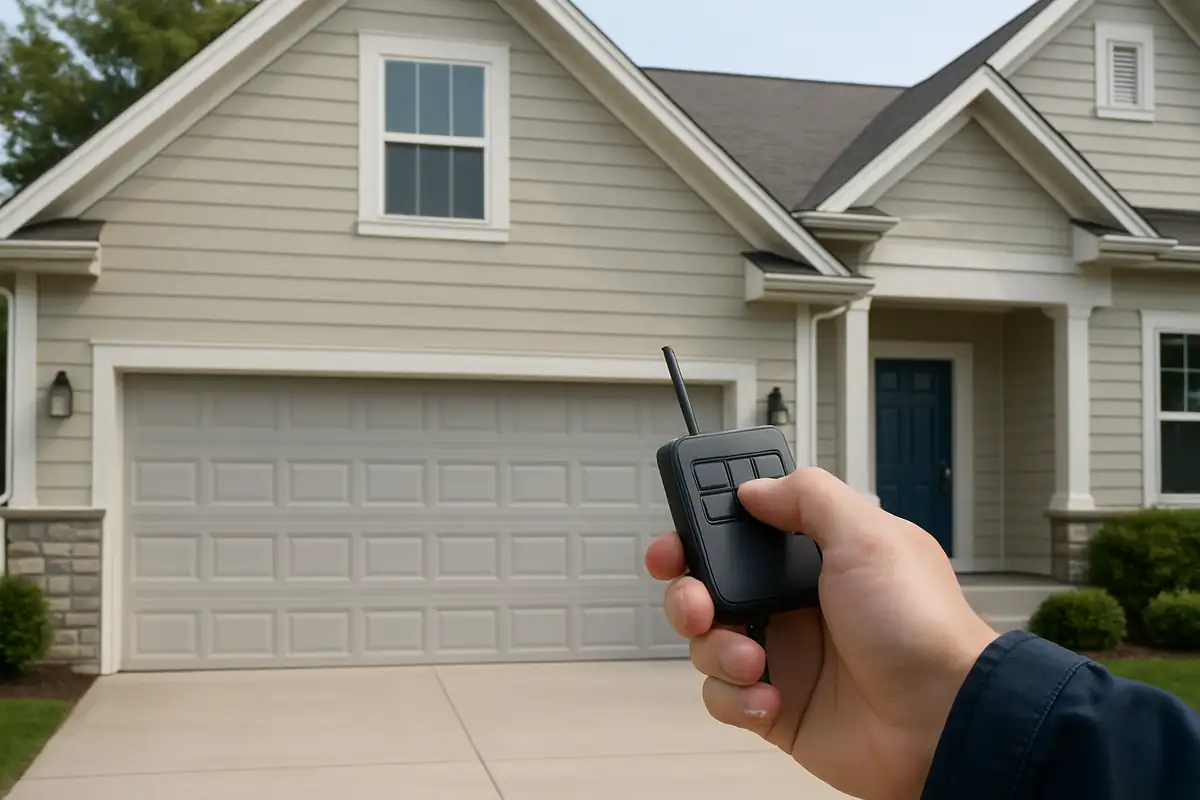
Garage door remotes are essential for the convenience and security of your home. They allow for seamless entry into your garage without the need to step out of your vehicle. However, programming these devices can often seem daunting, especially if you've never done it before. In this guide, we’ll provide you with an easy-to-follow process for programming your garage door remote, focusing on the most common models and practices here in San Diego, CA.
Why You Might Need to Program Your Garage Door Remote
There are several scenarios where you may need to program your garage door remote:
- New Remote: If you’ve purchased a new remote, you’ll need to pair it with your garage door opener.
- Changed Batteries: Sometimes, changing the remote’s batteries can reset it, requiring reprogramming.
- New Garage Door Opener: Upgrading your garage door opener usually necessitates programming any existing remotes.
- Security Concerns: If you suspect unauthorized access, it’s a good idea to reprogram your remote.
Tools You May Need
Before diving into the programming process, gather the following tools:
- Your garage door remote.
- Your garage door opener (the motor unit, typically located in the garage).
- A step ladder (if needed for reaching the opener).
- Owner’s manual for your garage door opener (for model-specific instructions).
Step-by-Step Guide to Programming Your Garage Door Remote
Step 1: Locate the 'Learn' Button on Your Garage Door Opener
Most garage door openers come equipped with a 'Learn' button. Here’s how to find it:
- Typically located on the back or side of the motor unit, near the antenna.
- Look for a button that may be colored yellow, red, or orange.
Step 2: Clear Existing Codes (if necessary)
If you want to reset your remote or remove old codes:
- Press and hold the 'Learn' button until the LED light blinks, then turns off (this usually takes about 6 seconds).
- This will erase all codes from the opener. Be cautious, as any remaining remotes will also need to be reprogrammed.
Step 3: Program the New Remote
Follow these steps to program your new remote:
- Press the 'Learn' button once (the LED will light up).
- Within 30 seconds, press and hold the button on your remote that you wish to program.
- Release the button when the garage door opener light flashes or you hear two clicks. This indicates successful programming.
Step 4: Test Your Remote
Once programmed, test the remote:
- Stand at a safe distance and press the button.
- Ensure your garage door opens and closes smoothly.
Troubleshooting Common Issues
If your remote doesn’t seem to work after programming:
- Ensure you are within range of your garage door opener.
- Check if the batteries in your remote are installed correctly and new.
- Verify that you pressed the 'Learn' button and the remote button within the designated timeframe.
- If issues persist, consult your owner’s manual for specific troubleshooting steps.
When to Call the Professionals
While the process of programming your garage door remote is usually straightforward, there are times when professional help may be necessary:
- If you experience persistent issues, even after following the programming steps.
- When your garage door opener itself seems faulty.
- If you prefer not to deal with technical tasks, calling in an expert ensures proper installation and programming.
Garage Door Remote Programming Statistics
Did you know that over 30% of homeowners in San Diego report issues with their garage door remotes at some point? Regular maintenance and timely programming can prevent a majority of these problems. By understanding how to program your remote, you enhance not only convenience but also the security of your home.
Conclusion: Keep Your Garage Door Secure and Convenient
Programming your garage door remote is a simple yet essential task that can significantly enhance the convenience and security of your property. Whether you are a new homeowner in San Diego or simply looking to update your garage door system, we hope this guide has provided you with valuable insights.
If you encounter any issues or prefer professional assistance, don't hesitate to reach out to ACE Garage Door Repair. Our team of experts is here to ensure your garage door operates smoothly and safely. Contact us today for all your garage door needs!
Explore More Resources
Related Articles
Service Areas
We proudly serve San Diego, Tierrasanta, Kearny Mesa, Serra Mesa, Allied Gardens and more areas.
Our Services
Professional garage door repair, spring repair, opener installation and more. View all services →
Essential Garage Door Spring Maintenance Guide | ACE Garage Door Repair San Diego
Garage Door Automation and Smart Home Integration in San Diego, CA: Enhance Your Home's Security